How to Improve Your Website's Core Web Vitals
Core Web Vitals are Google's key performance metrics that directly impact search rankings. Learn how to measure, diagnose, and improve your LCP, FID, and CLS scores.
Back to Blog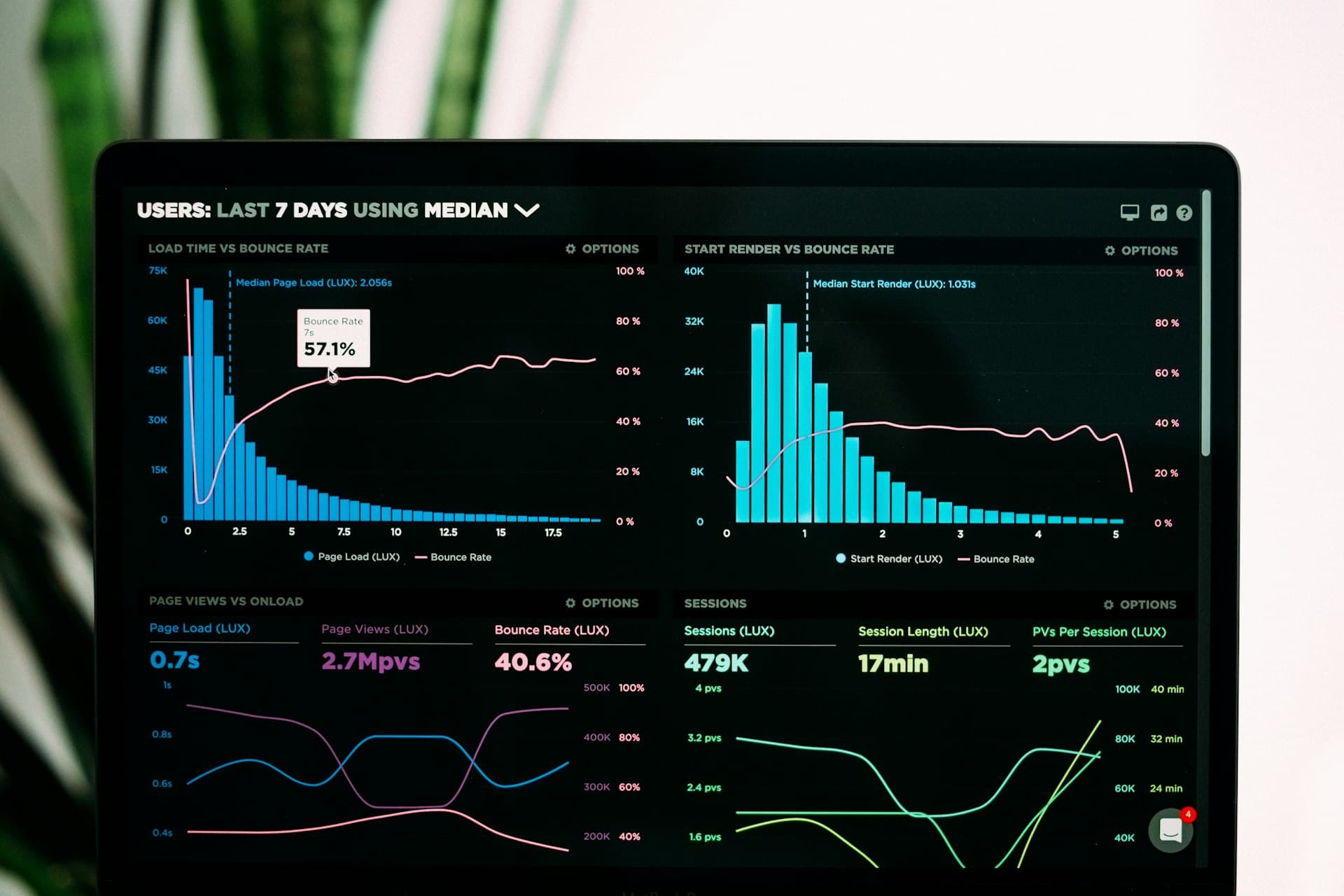
What Are Core Web Vitals?
Core Web Vitals are a set of specific metrics Google uses to measure real-world user experience on web pages. They became official Google ranking factors in 2021 and continue to carry increasing weight in search algorithms. The three metrics are: Largest Contentful Paint (LCP) — measures loading performance, specifically how quickly the largest visible element loads (target: under 2.5 seconds); Interaction to Next Paint (INP) — measures responsiveness by evaluating how quickly the page responds to user interactions (target: under 200ms); and Cumulative Layout Shift (CLS) — measures visual stability by quantifying unexpected layout shifts (target: under 0.1).
How to Measure Your Core Web Vitals
Use Google Search Console's Core Web Vitals report to see field data (real user measurements from Chrome users) for your site. PageSpeed Insights provides both field data and lab data with specific recommendations. Chrome DevTools' Performance panel and Lighthouse audit tool provide detailed technical insights during development. The Chrome User Experience Report (CrUX) aggregates real-world performance data. Focus primarily on field data as it reflects actual user experiences rather than synthetic test conditions.
Improving LCP (Largest Contentful Paint)
LCP is most commonly impacted by slow server response times, render-blocking resources, slow loading resources, and client-side rendering delays. To improve LCP: use a fast web host or CDN to reduce server response time, optimise and properly size hero images using next-gen formats like WebP or AVIF, preload the LCP image using a link rel=preload tag, defer non-critical JavaScript and CSS that blocks rendering, and use server-side rendering or static generation to deliver pre-rendered HTML rather than rendering content client-side.
Improving INP (Interaction to Next Paint)
INP replaced FID (First Input Delay) as a Core Web Vital in March 2024. It measures the latency of all page interactions throughout a session, not just the first. Common INP issues include long JavaScript tasks blocking the main thread, excessive DOM size, and third-party scripts. To improve INP: break up long JavaScript tasks using setTimeout or scheduler.postTask, defer non-critical third-party scripts, reduce JavaScript bundle size through code splitting, use web workers for computationally intensive tasks, and profile your JavaScript using Chrome's Performance panel to identify long tasks.
Improving CLS (Cumulative Layout Shift)
Layout shifts occur when visible page elements move unexpectedly as content loads. Common causes include images without specified dimensions, ads that inject content above existing content, dynamically injected DOM elements, and web fonts that cause a flash of unstyled text (FOUT). To eliminate layout shifts: always specify width and height attributes on images and video elements, reserve space for ads and embeds with CSS, avoid inserting content above existing content after page load, and use the font-display: optional CSS property to prevent layout shifts caused by web font loading.
Ongoing Monitoring and Continuous Improvement
Core Web Vitals are not a one-time fix — they require ongoing monitoring as you add new content, plugins, and features to your site. Set up automated monitoring using tools like SpeedCurve, DebugBear, or Calibre to receive alerts when performance regresses. Incorporate Core Web Vitals checks into your development workflow using Lighthouse CI before deploying changes. Page-level analysis in Google Search Console helps you identify the specific pages with the worst scores so you can prioritise your optimisation efforts efficiently.
Your feedback helps us grow and helps others discover our services.
Related Articles


Let's Build Your Next Project
From hosting to full-stack development — webzworld has the expertise to scale your business.